How To:
Custom Figurines with a.i.
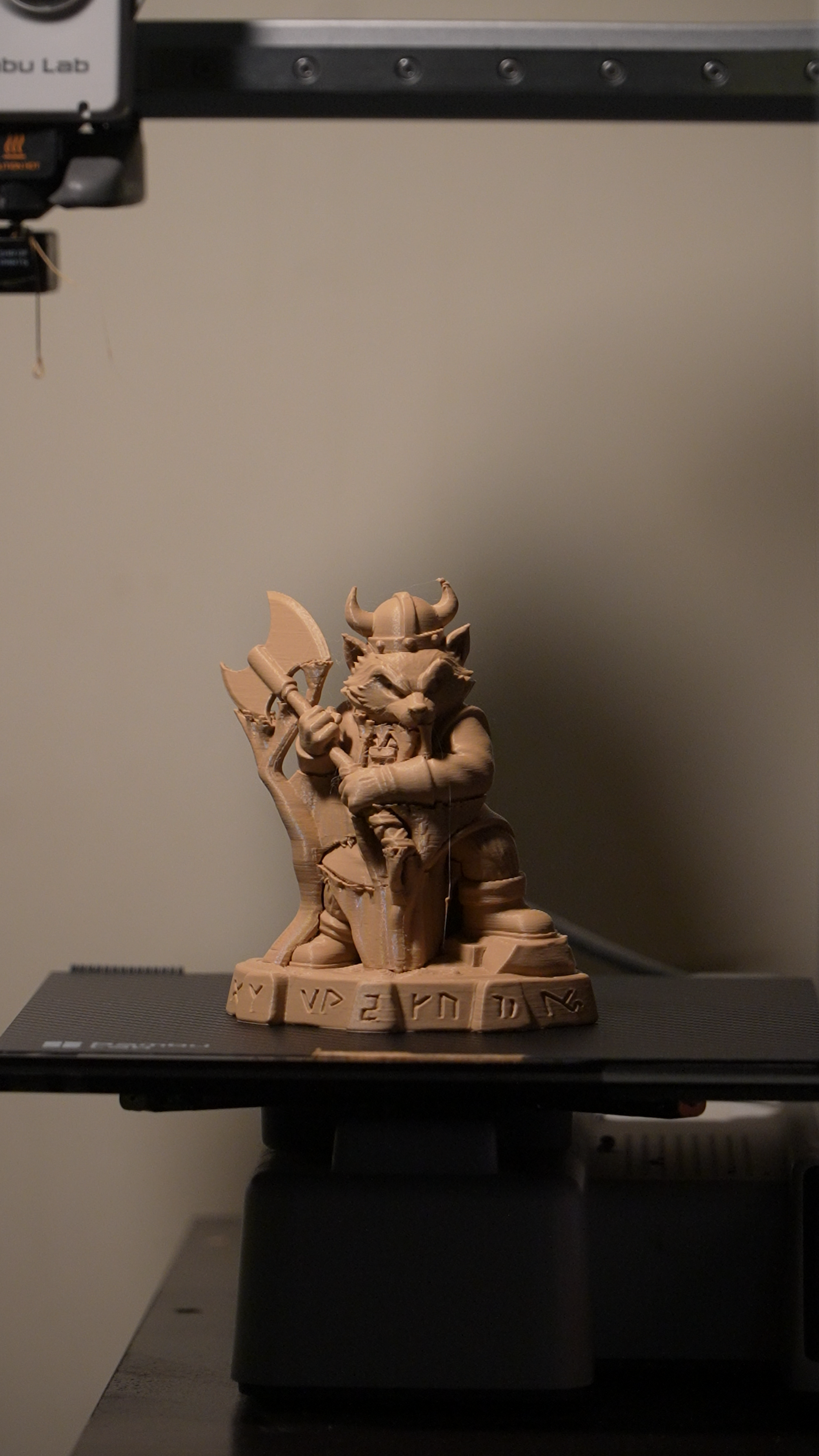
Ever since I was a kid, I wanted to create my own action figures. I was obsessed with superheroes and was practically inseparable from my Robin costume—maybe not the coolest hero to everyone else, but he was mine.
For the longest time, I thought creating my own figures would mean digging out the clay and painstakingly modeling them by hand. Even once I learned my way around Blender, I assumed it would take days of pulling and stretching vertices just to end up with a custom figure that was probably sub-par.
If you're relating to this, then I’ve got great news for you! I’ve figured out a way to pull custom figurines straight from my imagination—whether through a literal description or a simple sketch—using a combination of AI tools and my Bambu Lab A1 Mini.
Let me show you how I took a concept of a Viking raccoon warrior ready for battle, turned it into a 3D model in minutes, and transformed it into a physical piece of art in just a couple of passive waiting hours.
Step 1: The Concept
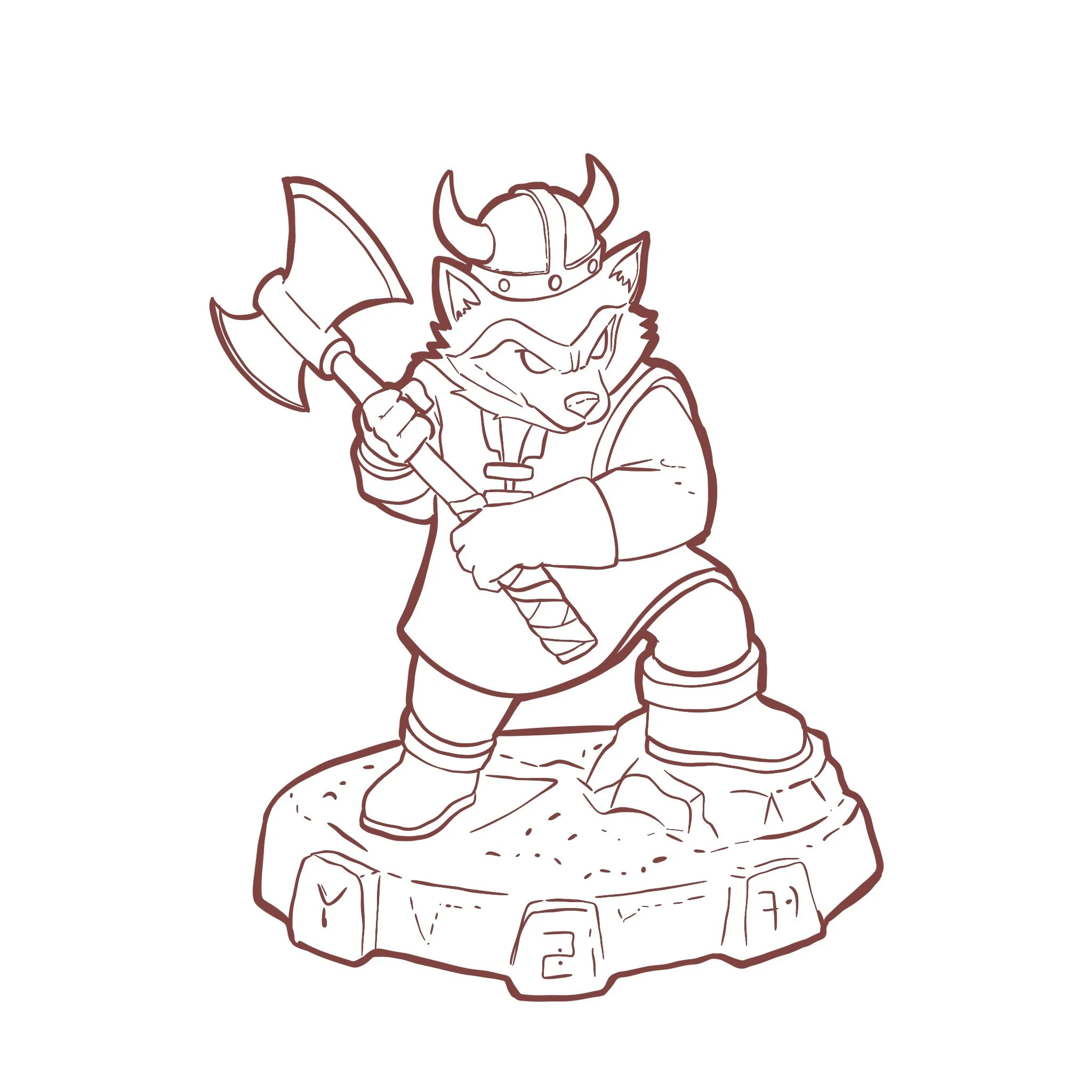
First, I had to figure out what I wanted to make. I thought, what could be more badass than a snarling raccoon warrior holding a double-bearded axe? I used my iPad and a software called Procreate to draw a rough image, then exported it as a PNG.
If you can’t draw don’t worry - I have a way to bypass this if you keep reading!
Step 2: Refining with Gemini
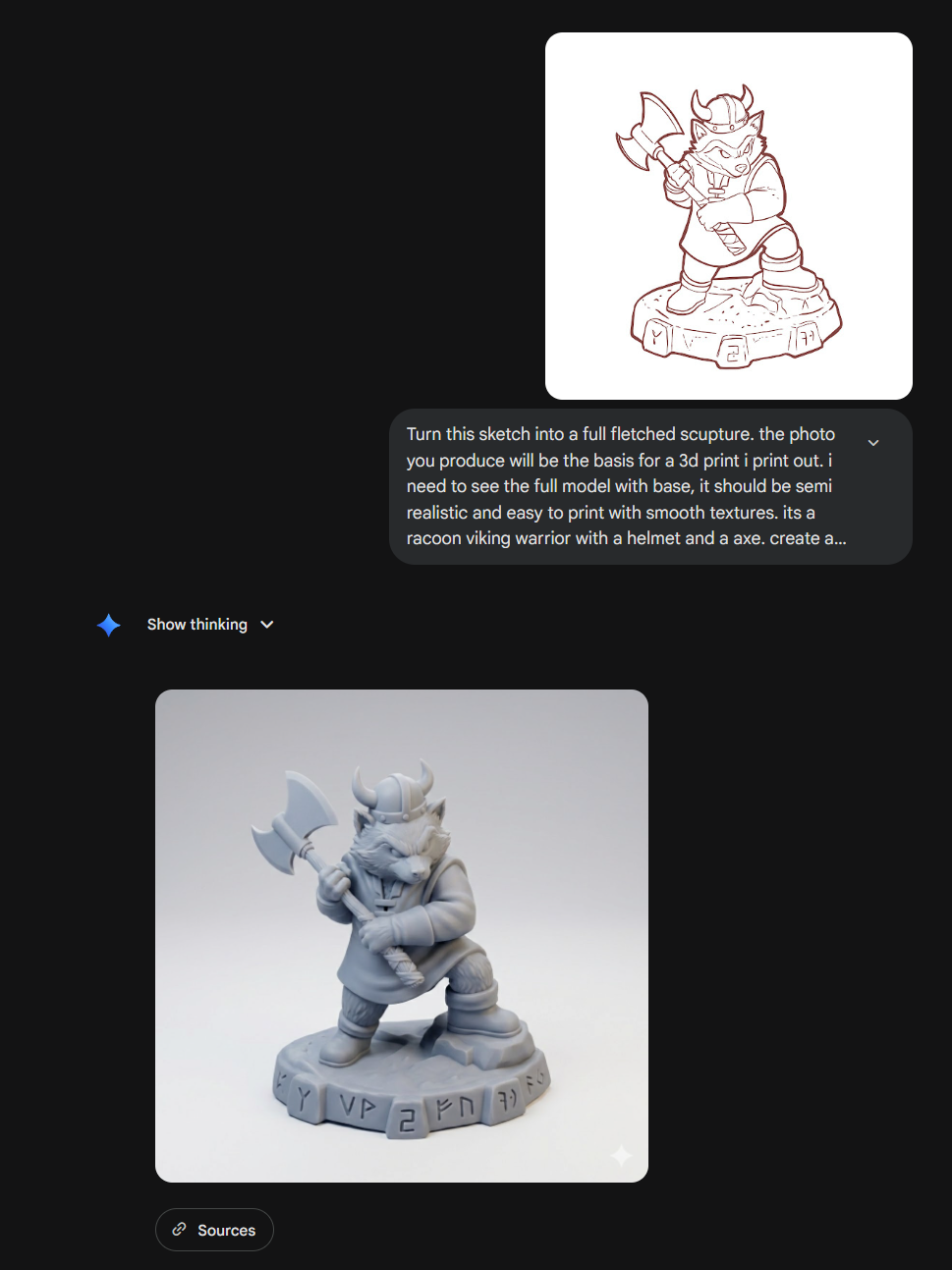
Next, I took the drawing to Gemini. I asked it to create an image using my drawing as a reference. To get the best result, you have to be specific with your prompting. I explicitly told it:
"Make sure the image is suitable as a reference for a 3D printed model and show the entirety of the model."
Since I’ve been doing this, I haven't even had to ask it to try again to get a better image; it's been spot-on from the first iteration every time.
Not an artist? No problem. If you can't draw but you have a great idea, do not fear. I have a workaround for you. All you have to do is ask Gemini to write the prompt for you and then feed that prompt right back to it to generate your image. I recommend using something like this:
"I need a prompt to feed to an AI image generator that will give me an image to act as the basis for a 3D print. I need the model to be shown in full and limited to textures and structure that are suitable for a 3D print. The model I want depicted is a [INSERT YOUR CHARACTER DESCRIPTION HERE]. Above all, make it clear, readable, and suitable for a 3D print."
Step 3: 2D to 3D with MakerWorld
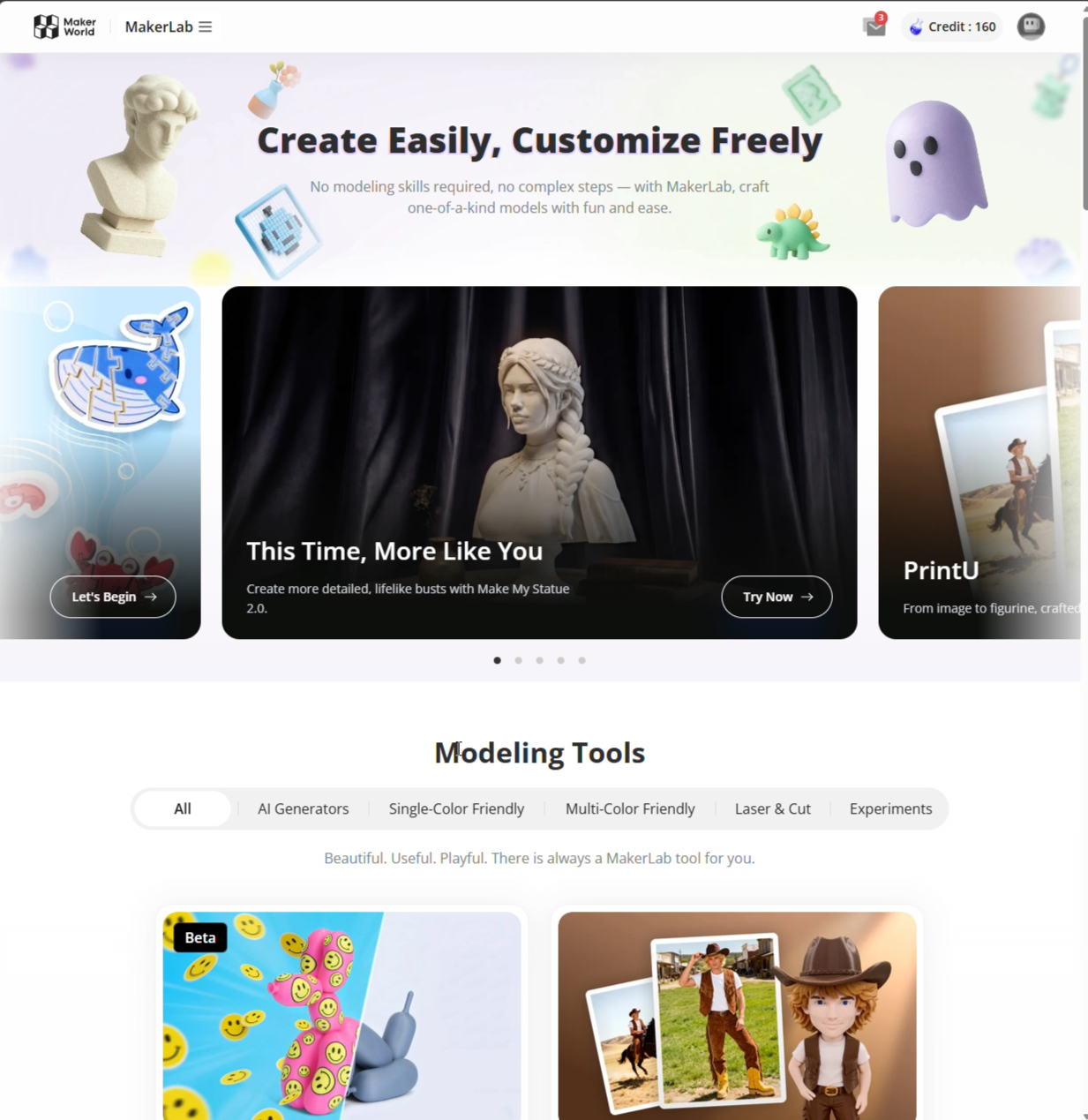
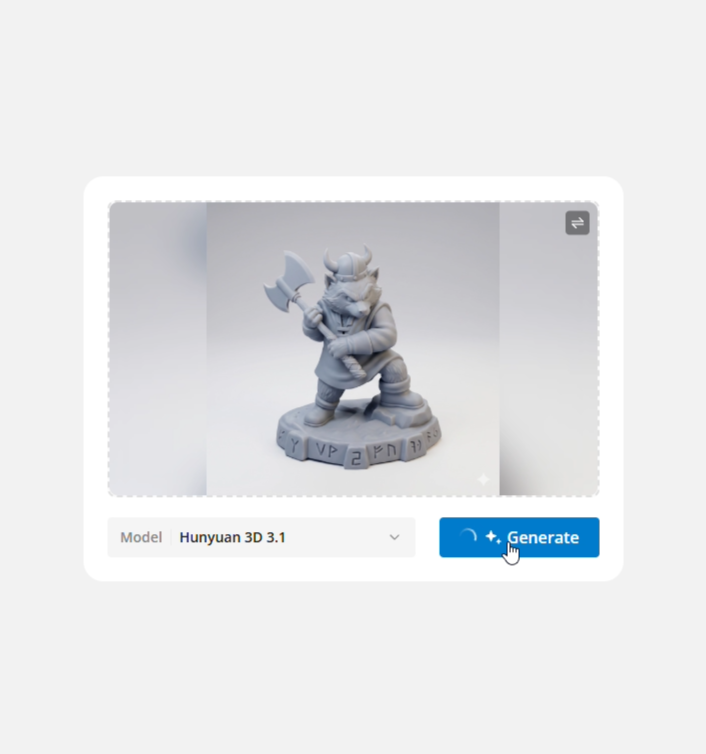
Now that I had my enhanced reference photo, I navigated to the next AI-powered tool: MakerWorld by Bambu Lab.
Bambu Lab makes some of the most intuitive and polished 3D printers out there, and they devote a lot of effort into creating tools for their community. One such tool is their 2D image to 3D model generator.
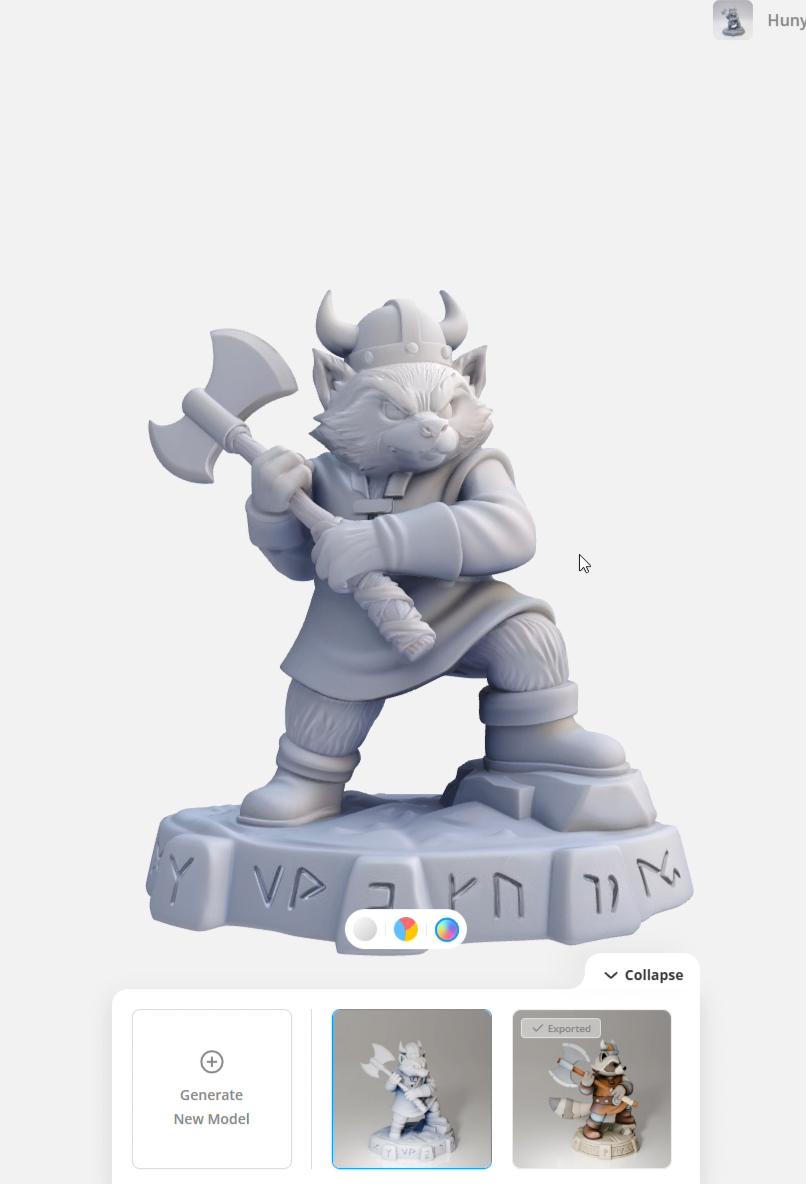
When I first saw this, I was skeptical. I thought, there is no way this actually works. I couldn't have been more wrong. I was stunned when I uploaded my flat 2D image into the tool, let it cook for about two minutes, and saw the result. What it produced was incredibly faithful to the reference image AND consistent in places that the reference didn't even show, such as the back of the model.
Step 4: Slicing and Printing
Now that I had my 3D model exported as an STL, it was time to print.
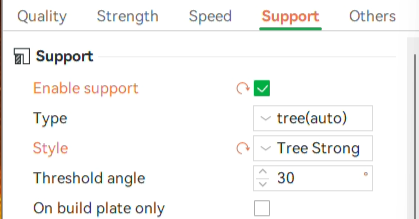
I opened my slicer, placed the model, and sized it appropriately. The one major setting I highly recommend changing in the slicer is your supports. Change it to Strong Tree Supports. I’ve had prints fail when using the skinnier and weaker default supports, so don't skip this step!
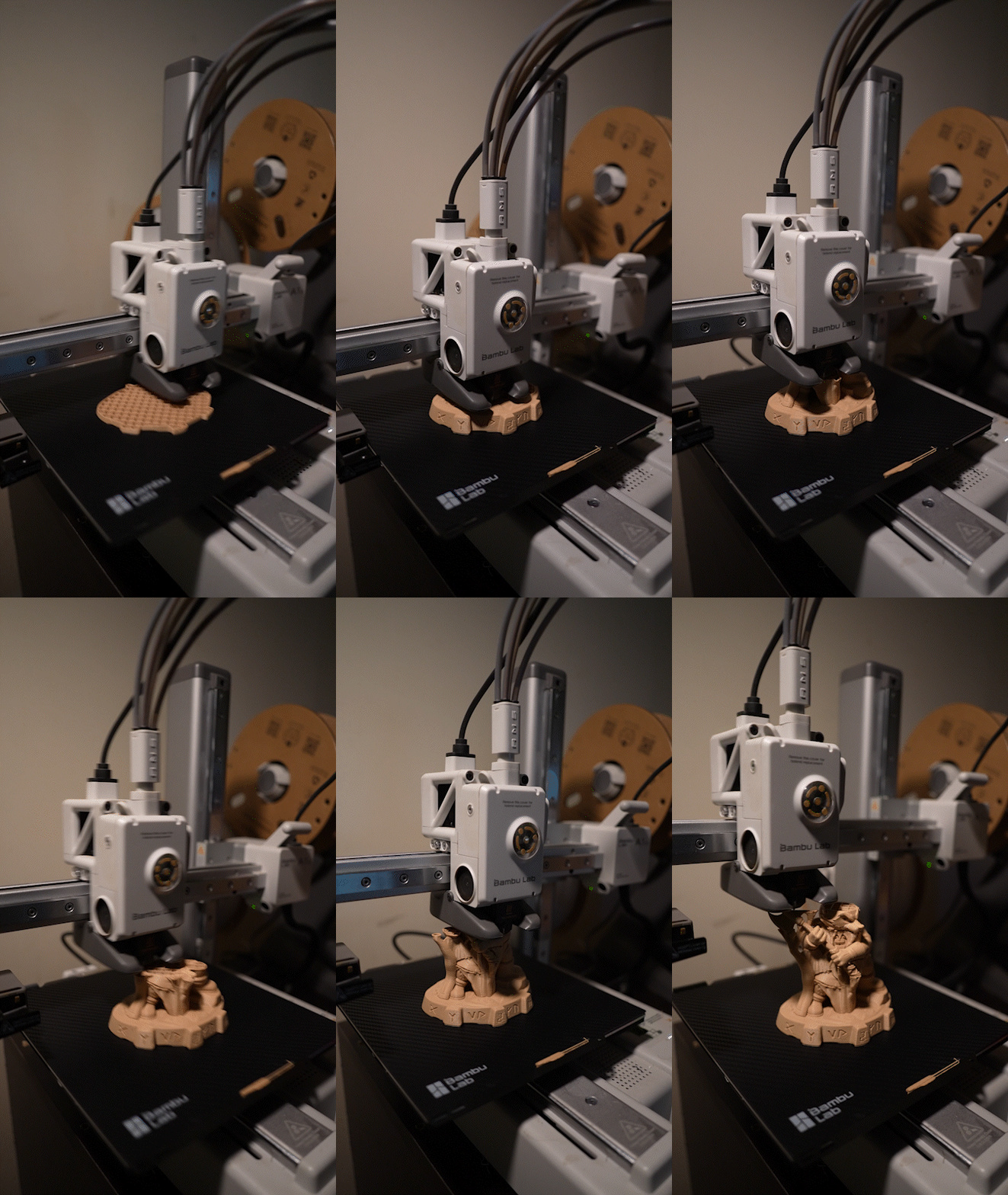
Send it to print, step back, and watch the magic of your original idea come to life.
The Result
This print took about two hours to finish. Just like that, I turned an original idea into a physical sculpture I could hold in my hands in under three hours.
I cannot express the excitement and how stunned I was when I completed my first figurine. This workflow takes what would cost a professional modeler days—and an amateur weeks—to make, and cuts it down to a fraction of the time.
Take this knowledge and experience the magic of bringing your own ideas to life!

Built for Possibility
Create something you're proud of.
Whether you're just starting out or taking things to the next level, we have everything you need to connect, engage, and make something truly yours.